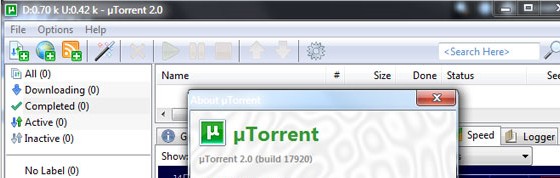
Easily them the most popular BitTorrent client on the Windows platform, uTorrent has moved to consolidate their lead with a souped-up new 2.0 release slipping effortlessly out of beta.
As with previous releases, the installer will still ask if you want the Ask.com toolbar installed, so be sure to pay attention when you’re clicking through the installation screens and bat away that particular offer.
The new release – a mere slip of a thing at just 311.8 KB – offers improved performance, bug fixes, UDP support, automatic bandwidth regulation and it can also be skinned.
The good folks at Lifehacker have taken time to explain what the UDP update does, along with the mysteriously sounding uTP whotsit.
You can download the free program here: uTorrent 2.0
If you’re not up to speed about this BitTorrent malarkey, uTorrent have posted up a handy guide. Here’s the first section to get you started:
What is BitTorrent?
BitTorrent (often abbreviated to ‘BT’) is a protocol (a set of rules and description of how to do things) allowing you to download files quickly by allowing people downloading the file to upload (distribute) parts of it at the same time.
BitTorrent is often used for distribution of very large files, very popular files and files available for free, as it is a lot cheaper, faster and more efficient to distribute files using BitTorrent than a regular download.
µTorrent is a BitTorrent client. A ‘client’ in this case is a computer program that follows the rules of a protocol.
For example, HTTP (HyperText Transfer Protocol) is the protocol used to download web pages and other content – like this page – and your HTTP client (or browser) is the program you use to get those web pages.
Some popular browsers include Microsoft Internet Explorer, Mozilla Firefox, Safari, and Opera. To an extent, they all work the same way because they follow the same set of rules.
Just as there are multiple HTTP clients, there are multiple BitTorrent clients, and µTorrent is one such BT client.